
Illustration: DaVinci Resolve Training course

DaVinci Resolve Training – Advanced Video Editing and Professional Workflows

This DaVinci Resolve training course is designed for editors, videographers, filmmakers, content creators, and audiovisual professionals who want to develop advanced editing skills and improve their post-production workflow.

Participants will learn how to organize professional projects, use advanced editing and trimming techniques, manage multicamera sequences, create retiming effects and animations, refine audio, and prepare timelines for color grading, sound mixing, professional interchange, and final delivery.

3 days 9:00 a.m. to 4:30 p.m. Online, Montreal, Quebec City

Updated on

The DaVinci Resolve Training course at a glance

Length
3 days
Schedule
9:00 a.m. to 4:30 p.m.
Format
Live virtual class or in person in Montreal and Quebec City
Audience
Tous
Price
$1,772 per participant, or $1,506 for public bodies and non-profits (plus taxes)
Language
English

Doussou Formation and DaVinci Resolve Training: key facts

Upcoming DaVinci Resolve Training sessions

Online

  • Select
  • Select
  • Select
  • Select
  • Select
  • Select
  • Select
  • Select

DaVinci Resolve Training course outline

Preparing a Professional Project

  • Understand offline, online, and finishing workflows
  • Configure projects and timelines correctly
  • Organize media using bins, metadata, and Smart Bins
  • Synchronize picture and sound
  • Understand and use proxy media
  • Relink offline media
  • Structure projects for efficient post-production interchange
  • Manage backups and timeline versions

Advanced Editing Techniques

  • Use two-point and three-point editing
  • Use Insert, Overwrite, Replace, and Fit to Fill
  • Manage source and destination tracks efficiently
  • Use Match Frame and markers
  • Work efficiently with keyboard shortcuts
  • Build and modify sequences quickly

Advanced Trimming

  • Use Ripple Trim
  • Use Roll Edit
  • Use Slip and Slide
  • Use Extend Edit
  • Use Dynamic Trim
  • Create J-cuts and L-cuts
  • Refine pacing and continuity
  • Understand how each trim operation affects timeline duration
  • Practical Workshop: edit and refine a short narrative sequence using separate picture and sound media.

Multicamera Editing

  • Synchronize multiple cameras
  • Create a Multicam Clip
  • Select and modify camera angles
  • Perform real-time multicamera editing
  • Manage picture and sound independently
  • Refine multicam edits
  • Flatten Multicam Clips when required by the workflow

Retiming, Animation and Effects

  • Create slow motion, fast motion, and freeze frames
  • Use Retime Controls and Retime Curve
  • Create progressive speed ramps
  • Understand the main frame interpolation modes
  • Animate position, scale, rotation, and opacity with keyframes
  • Refine animations using curves and Ease In / Ease Out
  • Use transitions, Adjustment Clips, and essential effects
  • Create basic titles and motion graphics directly in the Edit page

Finishing and Professional Interchange

  • Organize audio tracks
  • Adjust levels, fades, and panning
  • Balance dialogue, music, and sound effects
  • Generate and edit subtitles
  • Understand Picture Lock
  • Prepare timelines for color grading and sound mixing
  • Introduction to XML and AAF interchange
  • Understand handles and round-trip workflows
  • Configure common export formats
  • Review and quality-control final files
  • Back up and archive projects
  • Final Workshop: complete a short sequence and prepare it for post-production interchange and final delivery.

Your DaVinci Resolve Training trainer

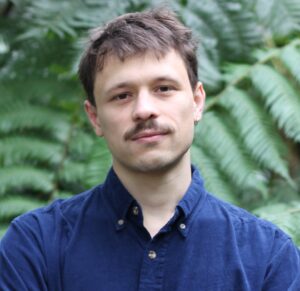
Portrait of Alexandre

Alexandre

An editor, colorist, and motion designer, Alexandre has been working in the audiovisual post-production industry for more than ten years. He has contributed to a wide range of projects, from fiction films to corporate productions, advertising, and digital content, with…

View full profile

Prices and practical information

Preferred rate

$1,506 / participant

Public bodies and non-profits · plus taxes

Standard price

$1,772 / participant

Businesses and individuals · plus taxes

Practical information

  • Length: 3 days
  • Schedule: 9:00 a.m. to 4:30 p.m.
  • Format: Live virtual class or in person in Montreal and Quebec City
  • Payment: online (PayPal or card) when registering, or by invoice for organizations
  • Funding: Doussou Formation is a training organization accredited by the CPMT. For Quebec employers subject to the Act to promote workforce skills development (payroll over $2M), this course can count toward their 1% training obligation.

Corporate DaVinci Resolve Training training

Train your whole team as a private group, on your own documents, at your premises or in a virtual class, on the dates that suit you.

Request an offer

Participant reviews

97% satisfaction (end-of-course evaluations, 120 evaluations) · Read all testimonials

Why take this DaVinci Resolve Training course

Objectives: what you will be able to do

  • Master advanced editing tools in DaVinci Resolve
  • Organize media and structure professional post-production projects efficiently
  • Understand offline, online, and finishing workflows
  • Use two-point and three-point editing techniques
  • Master advanced trimming tools and techniques
  • Improve the pacing and continuity of edited sequences
  • Create and manage multicamera edits
  • Create slow motion, fast motion, freeze frames, and progressive speed ramps
  • Animate clip properties using keyframes
  • Use transitions, Adjustment Clips, and essential effects
  • Organize and balance audio tracks
  • Generate and edit subtitles
  • Prepare timelines for color grading and sound mixing
  • Understand XML, AAF, handles, and round-trip workflows
  • Prepare, review, export, and archive professional projects

Prerequisites

  • Understand the fundamentals of nonlinear video editing
  • Be able to work with a timeline in DaVinci Resolve or another nonlinear editing system (NLE)

What is included

  • Course materials and exercise files for each participant
  • Certificate of attendance
  • Optional personalized coaching after the course
  • In public in-person sessions:
    • Tea and coffee
    • Lunch at a nearby restaurant
    • Parking (in some cities)
    • Wi-Fi access

Interested in the DaVinci Resolve Training course?