InDesign and AI: From Text to Image
InDesign and Artificial Intelligence: Go From Text to Image Without Leaving Your Layout
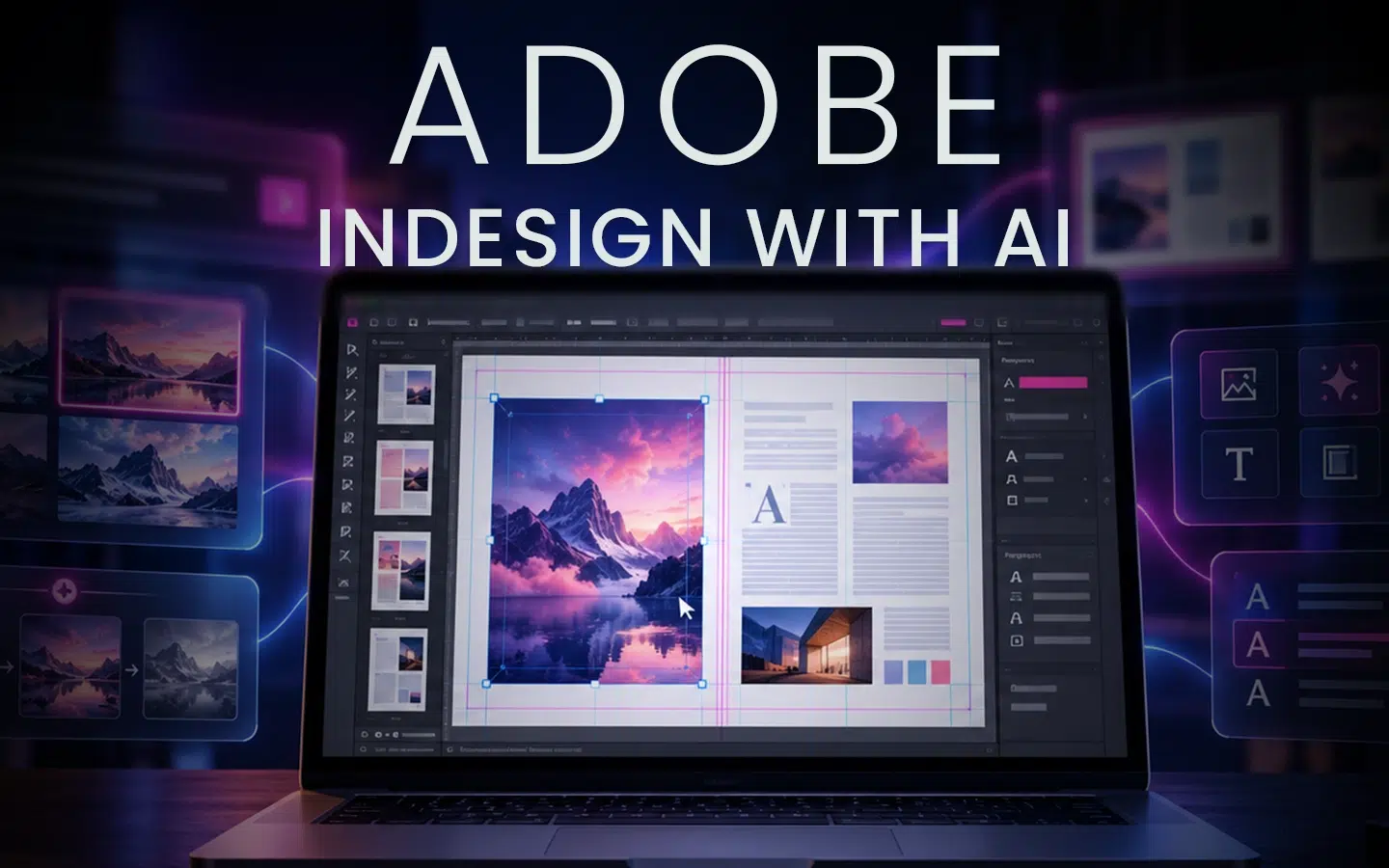
Creating a catalogue, brochure, or publication usually requires combining several types of content: text, photographs, illustrations, graphic elements, and technical information.
Finding the right visual can significantly slow down production. The image must suit the subject, framing, graphic style, and dimensions of the layout. When no available image fully meets these requirements, the project often has to be adjusted around the existing resources.
Integrating generative artificial intelligence into Adobe InDesign offers a new way to approach this process. From a written description, you can generate a visual, explore several variations, and incorporate it directly into an editorial layout.
The goal, however, is not to replace the design process. AI facilitates exploration and accelerates certain steps, while the professional retains control over the art direction, document structure, and final quality.
Why Integrate AI Into an InDesign Project?
InDesign is primarily used to organize content and create page layouts. It can be used to design brochures, catalogues, reports, magazines, flyers, and various documents intended for print or digital distribution.
Generative AI features now bring image creation closer to the layout process. A visual no longer needs to be finalized before editorial work begins. It can be researched, generated, and adapted while the document is being designed.
This approach allows you to:
- produce a visual that matches the document’s subject;
- quickly explore several creative directions;
- adapt an image more effectively to the proportions of a frame;
- test the relationship between text and imagery;
- create an atmosphere that complements the layout;
- reduce the time spent searching for content;
- develop more complete mockups from the earliest stages.
AI therefore becomes a complementary tool within the editorial process. It helps produce visual material, while InDesign makes it possible to organize that material into clear and structured communication.
Generate an Image From a Prompt
A prompt is a written instruction describing the content to be generated. In an InDesign project, it can be used to create an illustration, an atmospheric photograph, a background, or a cover image.
An effective prompt does more than identify a subject. It can specify:
- the image’s main subject;
- its environment;
- the desired style;
- the overall mood;
- the colour palette;
- the framing;
- the lighting;
- the placement of elements;
- the space to reserve for text;
- the elements to avoid.
For the cover of an annual report, for example, simply requesting an image representing innovation may not be enough. The prompt can also specify a professional aesthetic, a palette consistent with the organization’s identity, and a composition that leaves sufficient space for the title.
The clearer the creative intent, the more relevant the generated results can be to the layout.
Use a Reference Image to Guide the Creative Process
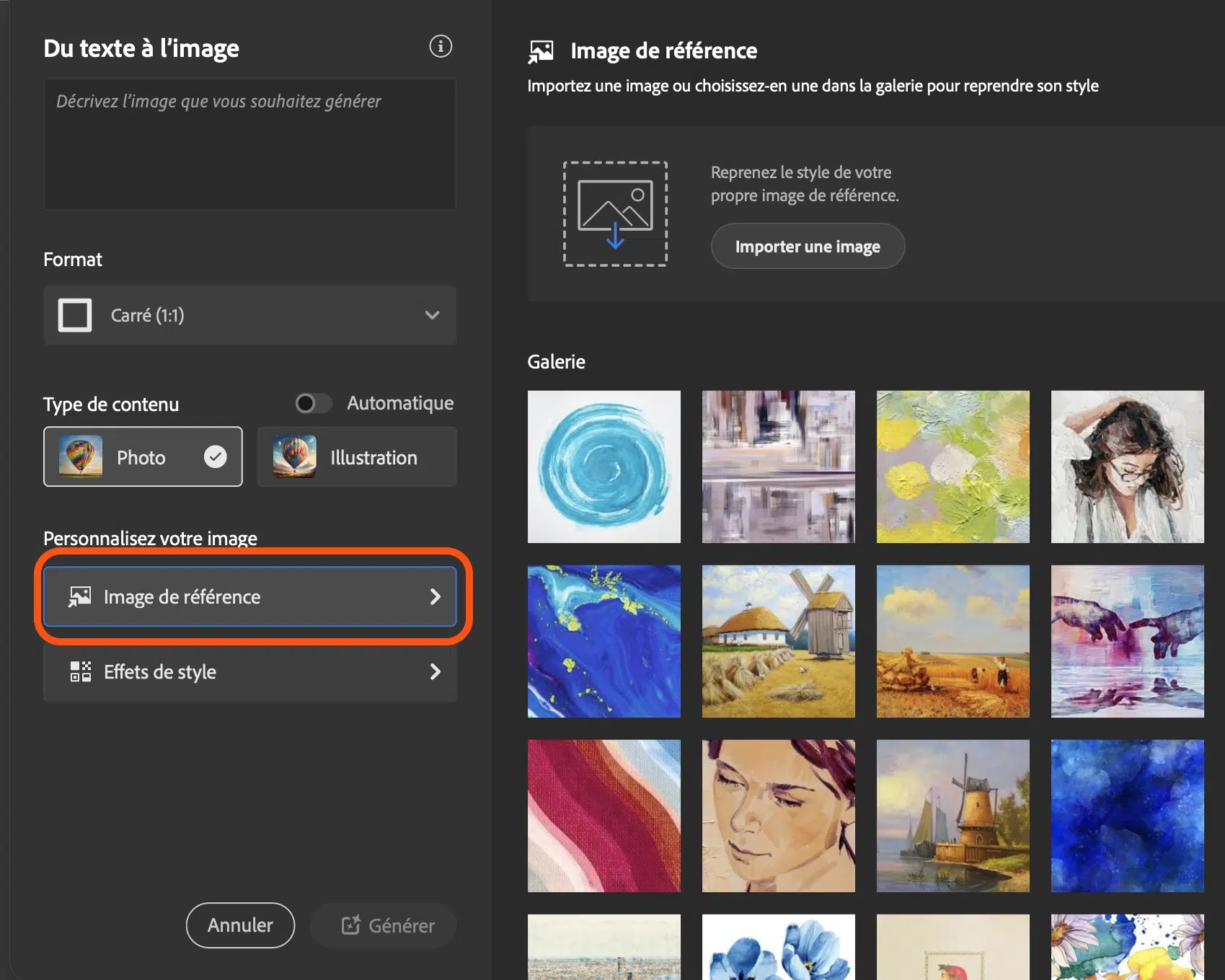
Words cannot always communicate a visual direction precisely. A reference image can help guide the generation process.
It can influence specific aspects of the result, including:
- the composition;
- the atmosphere;
- the colours;
- the level of detail;
- the visual style;
- the arrangement of shapes;
- the type of framing.
This method is particularly useful when a project already has an established visual identity. A reference can help produce an image that is closer to the desired style and maintain greater continuity between pages.
However, a reference image does not replace the designer’s decisions. It provides a starting point that must be interpreted, evaluated, and adapted to the document’s objectives.
Adapt the Visual to the Layout
In a traditional workflow, the composition often needs to adapt to the available image. With generative AI, the opposite approach becomes possible: producing a visual according to the specific needs of the layout.
For example, an image can be designed to:
- fill a horizontal or vertical frame;
- leave an open area for a headline;
- position the subject on the right or left;
- complement a two-page spread;
- create visual continuity across several sections;
- follow a colour palette already used in the document.
This flexibility makes it easier to create materials in which the text and imagery appear to have been designed together.
The result must still be reviewed carefully. Framing, resolution, details, proportions, and overall visual consistency should always be checked before publication.
Structure Text Efficiently With Styles
Artificial intelligence can accelerate image production, but a professional document still depends on a rigorous typographic structure.
Paragraph, character, and object styles make it possible to organize that structure. They ensure that headings, subheadings, paragraphs, captions, and graphic elements remain consistent throughout the document.
Using styles offers several advantages:
- quickly applying consistent formatting;
- modifying multiple elements simultaneously;
- maintaining a clear visual hierarchy;
- reducing formatting errors;
- making revisions easier;
- accelerating the production of multi-page documents.
Automatic image fitting and content-importing techniques also contribute to more fluid layouts.
These essential features become even more important in a workflow that incorporates AI. Generation accelerates the creation of visual content, while styles and layout tools transform that content into a structured document.
Create a Catalogue Combining Text and Generated Images
A catalogue is an excellent example of how InDesign and artificial intelligence can be used together.
Such a project can include:
- a cover generated according to a specific art direction;
- text structured with styles;
- images created for each category or section;
- a consistent colour palette;
- captions and supporting information;
- a grid that maintains consistency across pages;
- a hierarchy that makes the content easier to navigate.
AI can help explore visual ideas and generate different options. InDesign can then be used to organize these elements, establish the document’s rhythm, and maintain consistency from one page to the next.
The project therefore involves more than simply placing generated images inside frames. It requires creating a meaningful relationship between the written content, imagery, typography, and editorial structure.
AI Does Not Replace Art Direction
Generating an image is only one step in the creative process.
A result can be visually interesting without being appropriate for the message, audience, or organization’s identity. Some generated options may also contain inconsistencies, artificial details, or compositions that are difficult to integrate into the page.
The professional must therefore be able to:
- define the document’s objective;
- establish a visual direction;
- write effective prompts;
- compare generated variations;
- select the most relevant options;
- assess image quality;
- adapt visuals to the composition;
- structure the content;
- approve the document before publication.
AI generates possibilities and accelerates production. The designer organizes, selects, and decides.
A Faster Workflow That Remains Under Control
Integrating AI into InDesign can make production more fluid when it is supported by a clear working method.
An effective workflow can follow these steps:
1. Define the Project
Identify the audience, message, format, number of pages, and communication objectives.
2. Build the Structure
Create the document, establish the grid, prepare the frames, and define the typographic hierarchy.
3. Organize the Styles
Set up the paragraph, character, and object styles required to maintain consistency throughout the document.
4. Prepare the Prompts
Describe the subject, style, atmosphere, composition, and specific requirements for each visual.
5. Generate and Compare
Produce several variations and select the ones that best meet the project’s needs.
6. Integrate the Images
Place the visuals within the layout and adjust their framing, proportions, and relationship with the text.
7. Refine and Finalize
Review the typography, imagery, alignment, readability, resolution, and overall consistency.
This process makes it possible to benefit from the speed of AI without sacrificing control over the document’s quality.
Why Take a Course on InDesign and Artificial Intelligence?
Exploring these tools through trial and error may produce some results, but it does not always lead to an efficient production workflow.
Structured training helps participants understand how to connect InDesign’s established features with the new possibilities offered by generative AI.
Doussou Formation’s InDesign With AI – From Text to Image course is designed for design professionals, communications specialists, content creators, and anyone interested in exploring the use of AI in editorial projects.
Basic knowledge of InDesign is recommended, particularly experience creating documents and working with text and image frames. However, the course begins with a brief review of the essential concepts.
What You Will Learn During the Course
Through demonstrations and practical exercises, the course covers several essential skills:
- using character, paragraph, and object styles;
- importing different types of content efficiently;
- using automatic fitting to create more fluid layouts;
- generating images from written descriptions;
- improving the accuracy of your prompts;
- guiding the creative process with reference images;
- applying effects and styles to visuals;
- integrating generated images into a composition;
- combining written content with AI-generated illustrations;
- completing a structured catalogue project.
The objective is to develop skills that can be applied immediately to professional projects.
Turn Text Into Complete Visual Communication
Artificial intelligence is transforming how visuals can be researched, generated, and adapted. However, InDesign remains the environment in which this content takes on its full editorial purpose.
The combination of the two creates value: AI accelerates visual exploration, while InDesign structures information and transforms generated elements into consistent communication materials.
Learning to master this workflow makes it possible to produce content more quickly, explore more creative possibilities, and design documents in which text and imagery truly work together.
Develop Your Creativity With InDesign and AI
Would you like to learn how to generate visuals and integrate them effectively into your layouts?
Doussou Formation’s InDesign With AI – From Text to Image course guides you through the creation of a project combining InDesign’s essential tools with the possibilities of generative artificial intelligence.
In three hours, discover how to structure your content, write more effective prompts, use reference images, and design a catalogue that combines text with AI-generated illustrations.
The course is available through live virtual classroom training or in person, depending on availability.